
Fonts Not Loading on Website? Fix Webfont Display Issues
Affects: Google Fonts, Adobe Fonts, custom @font-face
Are your custom fonts showing as Times New Roman or Arial instead of the beautiful webfont you selected? Or do you see invisible text (FOIT – Flash of Invisible Text) for 3 seconds before fonts appear? This happens when browsers block rendering waiting for font files. Here’s how to fix font loading properly.
Understanding Font Loading Failures
When fonts don’t appear correctly:
- FOIT (Flash of Invisible Text): Page shows blank spaces where text should be
- FOUT (Flash of Unstyled Text): Arial appears first, then switches to custom font (jarring)
- 404 Errors: Font files blocked by CORS or wrong file path
- Render-blocking: Font files are massive (500kb+) stalling page load
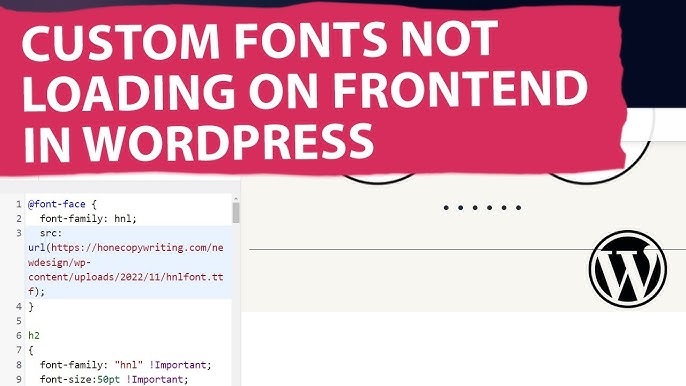
Fix 1: Font-Display Strategy (Recommended)
The immediate fix is adding font-display: swap and preloading critical fonts.
Step-by-Step:
- In your @font-face or Google Fonts URL, add display=swap:
<!-- For Google Fonts --> <link href="https://fonts.googleapis.com/css2?family=Inter:wght@400;700&display=swap" rel="stylesheet"> <!-- For custom CSS --> @font-face { font-family: 'CustomFont'; src: url('font.woff2') format('woff2'); font-display: swap; /* This prevents invisible text */ } - Preload the most important font:
<link rel="preload" href="https://fonts.googleapis.com/css2?family=Inter:wght@400;700&display=swap" as="style">
- Add fallback system fonts:
body { font-family: 'Inter', -apple-system, BlinkMacSystemFont, 'Segoe UI', Roboto, sans-serif; } - Test in Incognito mode: Hard refresh (Ctrl+F5) to see initial load experience
Result: Text appears immediately in system fonts, then elegantly swaps to custom font when loaded. No more invisible text or layout shifts.
Fix 2: Self-Host Fonts (Advanced)
If Google Fonts is blocked in certain countries (China) or you need offline functionality.
Process:
- Download font files from Google Fonts (use google-webfonts-helper)
- Upload to your /fonts/ directory
- Update CSS paths and add CORS headers
- Timeline: 2-4 hours including testing
Prevention
- Subset fonts: Remove characters you don’t need (saves 60-80% file size)
- Use WOFF2 only: It’s 30% smaller than WOFF (modern browsers support it)
- Limit font weights: Don’t load 100,200,300,400,500,600,700 if you only use 400+700
Bottom Line
Invisible text kills conversions. While self-hosting offers control, adding font-display: swap to Google Fonts (Fix 1) eliminates FOIT immediately. Your content becomes readable in 200ms instead of 3 seconds.